
Article: Why Is My Vape Blinking? Common Meanings and Fixes (2026 Guide)

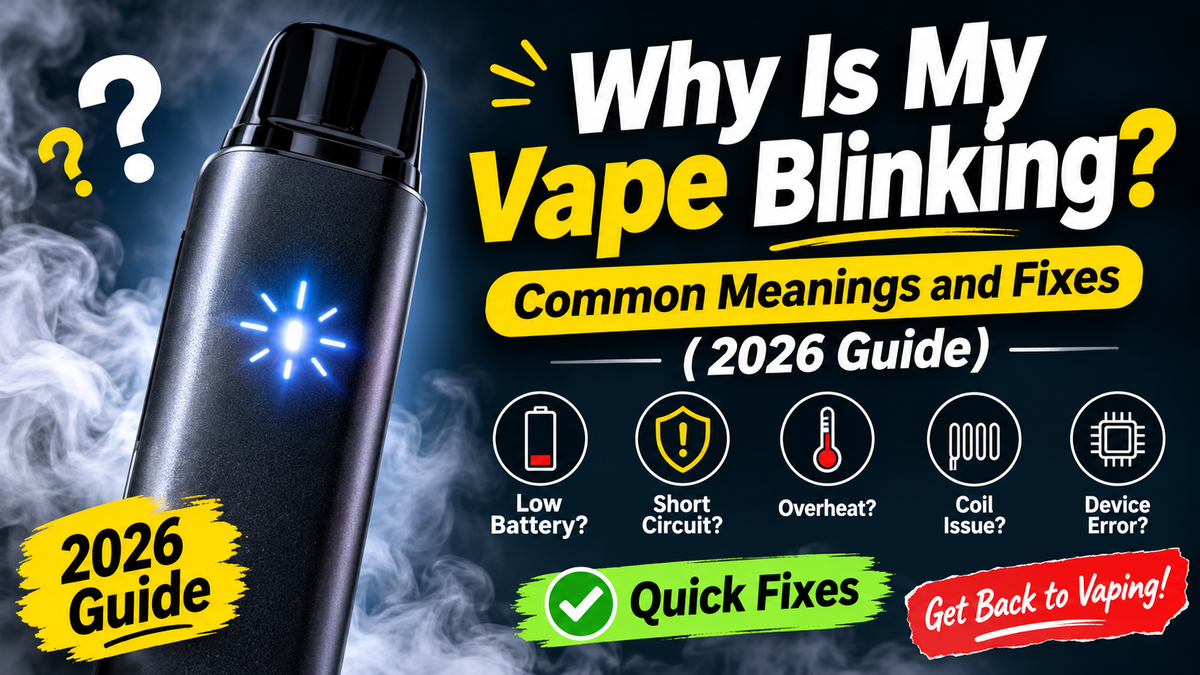
Why Is My Vape Blinking? Common Meanings and Fixes (2026 Guide)
Common Reasons a Vape Blinks
1. The battery is low
This is the most common reason. Many devices blink when the battery is nearly flat, and some stop firing entirely.
What to try: If the device is rechargeable, charge it. If it's non-rechargeable, a low battery usually means it's at the end of its life. For example, the STLTH ECO Mini has a 400 mAh non-rechargeable battery, so once it's gone, the device is finished. See our guide to how to charge a disposable vape and our explanation of rechargeable vs non-rechargeable disposables.
2. It's charging
A blinking or pulsing light while plugged in often means the device is charging, and it usually turns steady or switches off when full. The pattern varies by model.
What to try: Leave it plugged in with a suitable cable and adapter and check your model's instructions. Don't leave it unattended or charge overnight.
3. A safety cut-off has activated
Many devices have built-in protections. They can stop the device from firing, often with a blinking light, if you take a very long continuous puff, if the device overheats or if there's a fault in the circuit.
What to try: Stop using it, let it rest for a few minutes at room temperature, and try again with shorter puffs. If it keeps happening, the device may be faulty.
4. The e-liquid is low or empty
Some devices with a screen show an e-liquid level. On simpler devices, a blinking light may sit alongside weak vapour or a burnt taste when the liquid runs out.
What to try: Check the screen if your device has one. If the e-liquid is empty, replace the device or pod. Don't keep pulling on an empty device, since it can taste burnt. See our guide on why a vape tastes burnt or stops working.
5. A poor connection or a loose pod
On pod systems, a blinking light can mean the pod isn't seated properly or isn't making contact.
What to try: Remove the pod, check the contacts or magnets are clean and dry, and press it back in firmly. Make sure it's the right pod for your device, since pods are made for specific devices. See our guide to STLTH-compatible pods and how pods work.
6. The device is flooded or has condensation
Liquid in the airflow path or around the contacts can interfere with the sensor and trigger a blink without firing.
What to try: Wipe the outside with a dry cloth, keep the device upright and let it sit for a while. If you use a pod system, remove the pod and dab any liquid off the contacts with a tissue.
7. The device is too cold or too hot
Extreme temperatures can trigger protections or weaken the battery.
What to try: Let it come to room temperature before using it, and avoid leaving it in a car or in direct sun.
8. A lock or standby mode is on
Some devices have a lock function that's turned on or off with a button sequence, often a rapid number of presses, and the light may blink when it's toggled or when you try to use it while locked.
What to try: Check your model's instructions for how to unlock it. Don't try random button sequences if you can't confirm what they do.
9. A worn or faulty battery or circuit
If the light blinks constantly, the device won't charge or fire, and nothing above helps, the battery or circuit may be faulty.
What to try: Contact the retailer, especially if the device is new.
Quick Troubleshooting Table
|
Symptom |
Likely cause |
What to try |
|---|---|---|
|
Blinks when you puff, then stops working |
Low battery |
Charge it if rechargeable, or replace it |
|
Blinks while plugged in |
Charging |
Leave it connected and check your model's instructions |
|
Blinks rapidly and won't fire |
Safety cut-off or short circuit protection |
Rest it, use shorter puffs, replace it if it repeats |
|
Blinks with weak vapour or burnt taste |
Empty or low e-liquid |
Replace the device or pod |
|
Blinks after inserting a pod |
Poor connection or wrong pod |
Reseat the pod, check compatibility |
|
Blinks and feels wet or gurgles |
Flooding or condensation |
Wipe dry, keep upright, let it sit |
|
Blinks after being in a car or cold |
Temperature protection |
Bring it to room temperature |
|
Blinks constantly with no change |
Faulty battery or circuit |
Contact the retailer |
What to Do Right Now
- Stop and check the basics. Is it charged? Is it connected properly? Is the e-liquid low?
- Let it rest for a few minutes, away from heat.
- Charge it if it's rechargeable, using a good cable and adapter, on a hard, non-flammable surface.
- Wipe off moisture and check for blockages.
- Try a short, gentle puff.
- Check the instructions for your model's light codes.
- Replace or contact the retailer if it still blinks and won't work.
Safety: When to Stop Using It Immediately
Stop using the device and move it somewhere safe if it:
- Gets very hot
- Swells or bulges
- Leaks heavily
- Smells like burning plastic or chemicals
- Makes hissing or popping noises
Don't charge a swollen or damaged device. Place it on a hard, non-flammable surface away from anything that can burn, and take it to a battery or electronics drop-off. Never open a device or try to repair the battery yourself.
How to Prevent Blinking and Cut-Offs
- Take shorter, gentler puffs and pause between them.
- Don't chain vape at high power.
- Keep the device charged, and use the right cable and adapter.
- Store at room temperature, away from heat and cold. See our guide on whether e-juice expires for storage tips.
- Keep contacts and ports clean and dry.
- Buy from a retailer that sells stamped, properly labelled products. Counterfeit or non-compliant devices are more likely to fail.
It also helps to have realistic expectations about how long a device lasts. Puff counts are manufacturer estimates, so see our guide to puff count and what you really get.
When to Contact the Retailer
Contact the shop you bought from if:
- A new device blinks and won't fire out of the box
- A rechargeable device blinks and won't charge after you've tried a different cable and power source
- The device overheats or leaks
- The problem keeps coming back
Have your order details and a short description of the blink pattern ready. Return and replacement policies vary by retailer, so check the one that applies to your purchase. At Clutch Vape you can order online with shipping across Canada, or visit us in Toronto or Mississauga and our team can help.
Disposal
Disposable vapes contain lithium batteries and electronic parts, so they don't belong in household garbage or curbside recycling. Take them to a battery or electronics drop-off. Programs vary by province, and some regions, such as Quebec, have dedicated vape collection through Call2Recycle.
Frequently Asked Questions
Why is my vape blinking and not hitting?
Common causes are a low battery, an empty device, a safety cut-off, a poor connection or moisture. Charge it if it's rechargeable, let it rest, and check the connection.
Why is my disposable vape blinking 10 times?
The meaning depends on the device, and a repeated blink pattern often points to a protection such as a long-puff cut-off, low battery or a fault. Check the instructions for your model.
Why is my vape blinking while charging?
Many devices blink or pulse while charging and turn steady or switch off when full. If the blink pattern looks different or the device gets hot, unplug it.
Why is my vape blinking after I stopped puffing?
Some devices keep blinking briefly after a puff, or after a safety cut-off. If it keeps blinking on its own, unplug it if it's charging and let it rest.
Does blinking mean my vape is empty?
Sometimes, but not always. It can mean low battery, low e-liquid or a protection that has kicked in. Check the screen if your device has one.
Can I fix a blinking vape?
Often yes: charge it, rest it, wipe off moisture and check the connection. Don't open it or modify it.
Is it safe to keep using a blinking vape?
If it works normally after charging or resting, it's usually fine. If it overheats, swells, leaks or keeps blinking without working, stop using it.
Is vaping safer than smoking?
Health Canada says that for adults who have tried approved methods and are still smoking, switching completely to vaping nicotine is less harmful than continuing to smoke. It is not harmless, nicotine is addictive, and vaping products aren't approved as a quit-smoking aid. If you don't smoke, don't vape.
The Bottom Line
A blinking vape is usually telling you something simple: the battery is low, it's charging, the e-liquid is low or a safety cut-off has kicked in. Because blink codes differ by device, check your model's instructions, then try the basics: charge it, rest it, wipe it dry and check the connection. If it still blinks and won't work, or it overheats, swells or leaks, stop using it and contact the retailer.
Visit our Toronto or Mississauga locations or browse online, and our team will help you troubleshoot a device.
Clutch Vape sells products intended for adults of legal age only. Nicotine is addictive. Vaping products are not approved in Canada as a quit-smoking aid. This article is general information, not medical advice. Blink patterns vary by device, so follow the manufacturer's guidance for your model. Check current rules in your province before purchasing.
En savoir plus
How to Charge a Disposable Vape Safely (2026 Guide)
Can You Charge a Disposable Vape? It depends on the type: Non-rechargeable disposables have a small battery matched to their e-liquid and no charging port. When the battery dies, the device is fi...
En savoir plus
Laisser un commentaire
Ce site est protégé par hCaptcha, et la Politique de confidentialité et les Conditions de service de hCaptcha s’appliquent.